How to Make Video Ads on a Small Budget (Under $100/Month)
Most founders overestimate what money buys in production and underestimate how much scripting, offer, and editing momentum matter. If you have under $100 per month, you can still produce enough ads to learn quickly. The constraint is your time and the strength of your offer, not camera gear. We build an AI UGC product — here’s the honest math, the exact stack, and what to skip so your budget goes where it actually moves the needle.
What $100/month really buys (and what it doesn’t)
Production budgets and media budgets are different line items. This guide is about production: getting usable ad creatives made for cheap. It does not include ad spend. If you only have $100 total including media, focus on fixing your offer and website first; media testing won’t save a leaky bucket.
At sub-$100/month, your realistic options are:
- AI talking-head UGC for spokesperson segments — fast, repeatable, $3–$10 per video on most AI tools.
- Phone-shot product b‑roll — free if you already own a smartphone.
- Free writing tools for scripts, hooks, and captions.
- Free or freemium editors (CapCut, iMovie, DaVinci Resolve, VN) and free music libraries.
What this budget cannot buy: agencies, paid UGC creators beyond a single test, stock subscriptions you won’t fully use, and fancy motion graphics packages. That’s fine. Cheap video ads win on clarity, proof, and iteration speed — not polish.
The fastest lever on a small budget is idea volume, not cinematic quality.
Your under-$100 production stack (the one I’d use)
Here is the stack I recommend. I’m biased — we built one of the tools — but I’ll call out trade-offs.
1) AI talking-head UGC
- UnrealUGC — our platform — for quick spokesperson clips and faceless explainers. Expect roughly $3–$10 per generated video depending on length and settings. Check our pricing for exact tiers. Pros: consistent talent, fast turnaround, cheap iterations. Cons: not ideal for nuanced emotions; if your brand lives on raw human charm, real creators still beat AI.
- Use AI for: intros, benefit bullets, objection handling, simple demos over screen recordings, multilingual versions of your top creative.
- Keep shots tight, scripts conversational, and add quick cutaways to your phone footage to break up the talking head.
If you prefer a human face you control, record yourself on your phone. The point of AI here is throughput, not replacing every frame.
2) Phone-shot product b‑roll
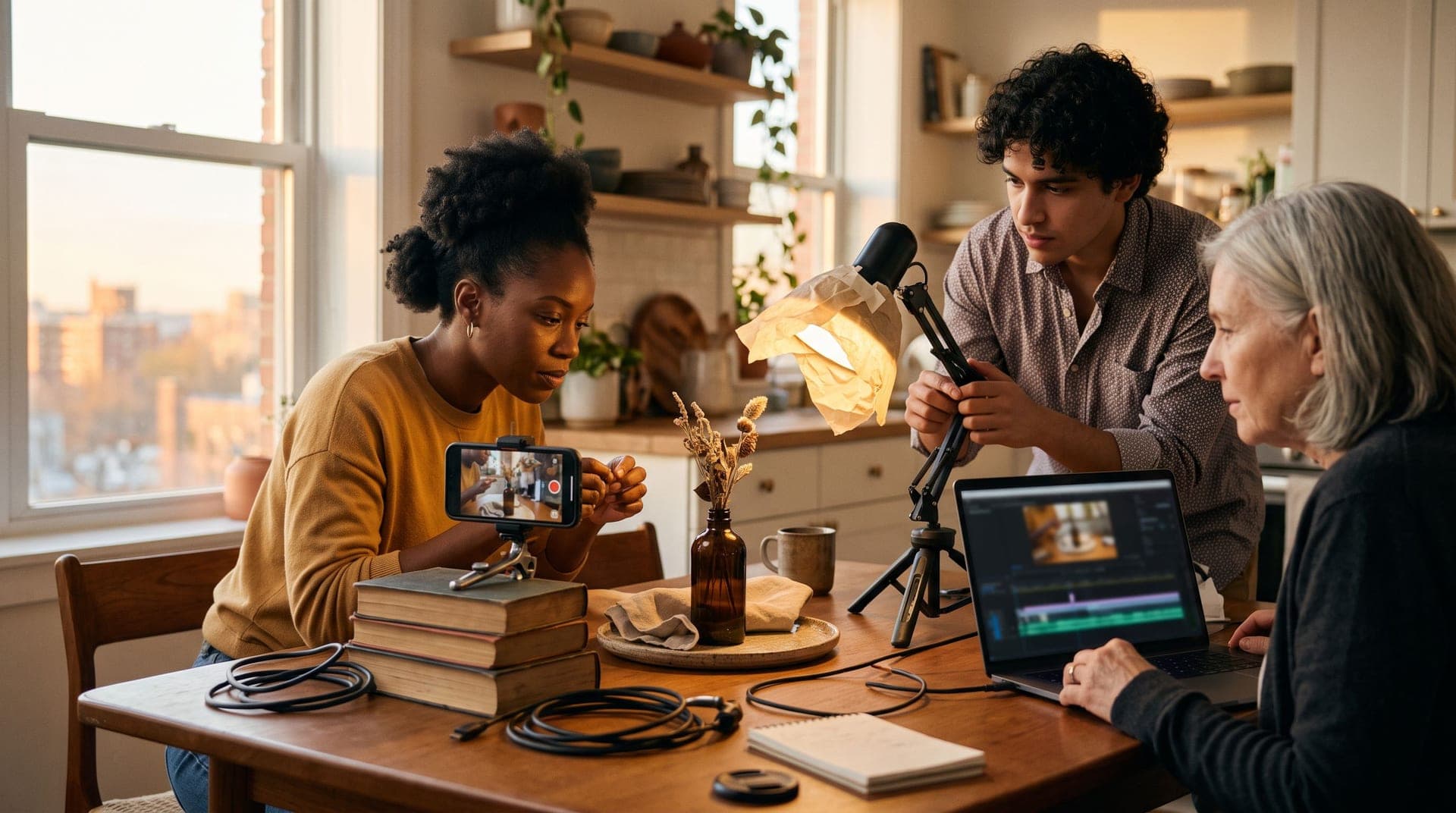
- Shoot on any recent smartphone. Lock exposure by tapping and holding, shoot in 1080p 30fps or 4K 30fps, and stabilize with your body (elbows tucked).
- Light with a window and a white wall or foam board as a bounce. For shiny products, diffuse a desk lamp with parchment paper.
- Aim for 8–12 short clips per product: unbox, hero shot, hand use, close-up of texture, before/after, setup, result, lifestyle context.
3) Scripts, hooks, and copy — free tools
- Draft 3–5 hooks per concept with the free video hook generator. It’s faster than staring at a blank doc.
- Turn winning hooks into 20–35 second scripts using our free video script generator. Keep a first-person voice and show the product immediately.
- Convert your best scripts into multiple CTAs and captions using the free ad copy generator. You want variants for testing.
4) Editing and captions — free
- CapCut or VN on mobile; DaVinci Resolve or iMovie on desktop. Use auto-captions and burn them in — most views are sound-off.
- Add punch-in/punch-out cuts every 2–3 seconds. Overlay benefit bullets with simple text. No animated templates needed.
5) Music and SFX — free
- Use YouTube Audio Library or CapCut’s built-ins. Keep levels low under voice. Avoid trending songs that can get your ads flagged.
The sub-$100 budget, itemized
Below is a realistic one-month plan that stays under $100 for production. If you already own a table tripod or ring light, your cash cost is even lower.
| Line Item | Tool/Source | Quantity | Cost Range | Notes |
|---|---|---|---|---|
| AI talking-head clips | UnrealUGC | 10–15 | $30–$90 | Short 15–30s spokespersons; check pricing for plan fit |
| Phone product b‑roll | Your smartphone | 1–2 sessions | $0 | Shoot 8–12 clips per session |
| Scripts + hooks | UnrealUGC free tools | 10–20 | $0 | Video scripts, hooks |
| Editing | CapCut/VN/iMovie | N/A | $0 | Auto-captions, simple cuts |
| Music/SFX | Free libraries | N/A | $0 | Keep under VO at -20 to -15 dB |
| One-time accessory (optional) | Table tripod/phone clamp | 1 | $10–$20 | Thrift or generic online |
| Total (monthly) | $40–$110 | Stay on lower end by batching 10–12 AI clips |
If you can only spend $60, cap AI outputs at 8–10 for the month and rely more on your own face for A/Bs.
What to skip at this budget (and why)
- Agencies and paid UGC creators: even entry-level creators charge $50–$200 per video, plus usage rights that can add 30–50% per 30 days. That’s your whole budget for a single shot. Save it for later when you know your creative angle converts.
- Stock footage subscriptions: generic b‑roll rarely sells specific offers. Your phone footage of the product in context beats a perfect-but-generic montage.
- Heavy motion graphics: templates look slick but don’t move CPA. Clear value prop text and real use-case clips do.
- New cameras and mics: your smartphone is enough. Spend time on lighting and framing.
Creative structure that works for cheap video ads
Low budget ads win with simple, direct structure. Use this repeatable frame:
- Hook (0–2s): problem, strong claim, or pattern interrupt. Show the product immediately.
- Setup (2–7s): who it’s for + the specific situation.
- Proof (7–20s): demo, before/after, testimonial line, or mini “how it works.”
- Offer + CTA (20–35s): price/guarantee/bonus, and what to click.
Keep each line speakable out loud. Don’t write like a blog post; write like a text to a friend.
Three script templates you can steal
Use the generators for speed, then tweak by hand. Here are base patterns that convert on small budgets.
1) Before/After Fast Demo
- Hook: I stopped [pain] by switching to [product] — here’s 5 seconds of proof.
- Setup: I’m [who], my situation was [specific].
- Proof: [Speed demo: close-up + time-lapse + result].
- CTA: It’s [price/guarantee]. Tap to try it this week.
2) Objection Smash
- Hook: If you think [common objection], watch this.
- Setup: I tested [product] against [thing they already use].
- Proof: Side-by-side clip; call out metric that matters to them.
- CTA: I paid [price], it took [time] to set up. Tap for the code.
3) First-Person Testimonial (AI or self-shot)
- Hook: I didn’t believe [benefit] until this.
- Setup: [1 line backstory], [problem].
- Proof: [3 quick cuts showing usage/results].
- CTA: I’d buy it again. Link has [offer or guarantee].
Step-by-step month plan (under $100)
This is a 4-week cadence I’ve seen work for bootstrapped teams. It trades polish for speed and learning.
Week 0 (setup day)
- Define 2–3 angles: problem-solver, time-saver, or price/guarantee. Pick offers you can stand behind.
- Collect proof: screenshots, UGC reviews (with permission), simple before/after photos. Sort into a single folder.
- Build your b‑roll list: 10 shots you can capture in 45 minutes around your space.
Week 1 (produce your first batch)
- Write 6 hooks per angle using the video hook generator. Keep 18–20 options total.
- Turn 6 of them into scripts with the video script generator. Aim for 20–30 seconds each.
- Shoot one hour of phone b‑roll. Keep clips under 5 seconds and steady.
- Generate 6 AI spokesperson clips in UnrealUGC for the scripts that read best. Use neutral backgrounds and add your b‑roll on top during edit.
- Edit 8–10 total ads by mixing: 6 AI intros + 2 self-shot variations.
Week 2 (test and iterate)
- Look at early signals: 2–3 second hold, first 100 impressions CTR, and cost to first meaningful action (view content, add to cart). Don’t overfit on tiny spend.
- Take the best 2 hooks and make 4 variants each by changing the first line only. Keep the rest identical for clean reads.
- Generate 4–6 new AI clips to match the variants. Target another 6–8 ads produced this week.
Week 3 (new angle + proof)
- Add one new angle (e.g., objection smash). Record a quick self-shot testimonial if you can deliver authentic nuance.
- Build 4 ads from the new angle and 2 from your top prior angle with refreshed b‑roll.
Week 4 (prune and package)
- Kill anything below your median on 2–3s view rate and CTR. Keep only clear winners in rotation.
- Re-export top 3 winners in 1:1 and 16:9 if you started in 9:16, and trim a 12–15s variant of your best performer. Use the UGC ad length guide to match placements.
Net output: 20–28 unique videos in one month, under $100 spent on production if you batch AI outputs and keep accessories minimal.
Shooting your own b‑roll: a 30-minute playbook
You don’t need a light kit. Follow this quick setup:
- Location: table near a window with indirect light. Turn off ceiling lights to avoid mixed color.
- Diffusion: tape parchment paper over a desk lamp for soft fill. White wall or foam board as bounce.
- Angles: start with a clean hero shot, then top-down, then 45-degree close-ups. Add a hand model — yours — to show size and use.
- Motion: slow push-ins by leaning your body, not your wrist. Capture 3–4 seconds per clip.
- Texture: shoot macro of seams, ingredients, or screens. Show “proof of life” like scuffs, fingerprints, steam.
For service or software, record screen captures with a cursor, then film your hand on the trackpad to make it feel lived-in. Layer AI voice or your own VO on top.
Making AI talking-heads feel less AI
If you use UnrealUGC for spokespersons, keep it simple. Write like a person, not a brochure. Insert b‑roll every 2–3 seconds so the AI face isn’t the only visual. Choose casual clothing, neutral backgrounds, and everyday phrasing — contractions, short lines, one idea per sentence.
When to skip AI: if your product relies on a very specific persona or humor style, self-shot or a real creator will read better. AI shines when you need consistent, repeatable lines across many variants.
Editing workflow that saves time
- Set project to the final aspect ratio first: 9:16 for Shorts/Reels/TikTok, 1:1 or 16:9 for feeds. Don’t crop later.
- Build a three-layer stack: A-roll (AI or self), b‑roll above it, and text overlays. Keep text high-contrast and large.
- Use captions. Most views are muted at scroll. Auto-captions + quick proof text = clear message.
- End screen: 1–2 seconds with product shot, price/offer, and a direct CTA.
Metrics that matter on tiny budgets
You won’t get perfect statistical significance, but you can use directional signals:
- Thumbstop/2s view rate: does the first line stop the scroll? If under 30–35%, rewrite the hook.
- 25% watch rate: is the structure keeping attention? If low, your middle is flabby — add a tighter demo.
- CTR on top placements: if below your account median, the creative isn’t pulling its weight.
- Cost to first action: if clicks are fine but adds-to-cart are weak, the landing page or offer needs work.
Pair this with a light testing cadence. If you need a framework, save this for later reading: how to test ad creatives.
Honest constraints: where $100 is not the limiting factor
Production polish is rarely the bottleneck. Your hook and offer do the heavy lifting. If your CPA is 3–5x target, changing lenses won’t fix it — the message or the price is off. Cheap video ads work when they make a clear promise, show believable proof, and make a low-friction ask.
Targeting also matters, but not in the way people think. Broad audiences with creative-driven learning outperform micro-sliced interests in most modern platforms. If your creative can’t explain who it’s for in three seconds, no micro-target will rescue it.
Troubleshooting common failures
- Feels fake or salesy: switch to first-person copy, shorten sentences, add one unscripted line (“I didn’t think this would work on my sink”). Show a flaw or a setup mishap — it builds trust.
- Boring first frame: open with a hand using the product or a bold visual claim on screen. Avoid logo intros.
- Confusing value prop: force yourself to one primary benefit per ad. Secondary benefits can appear as overlay bullets.
- Weak proof: add a split-screen before/after, a timer on screen, or a live counter. Proof beats adjectives.
Sample ad recipes you can produce this weekend
- 20s Price Drop: AI spokesperson opens with the new price, quick b‑roll montage, overlay of guarantee, CTA. Cost: one AI clip + your b‑roll.
- 30s “I Was Skeptical”: self-shot selfie intro, AI re-states objections more cleanly, b‑roll demo, CTA. Cost: one AI clip.
- 15s Speed Demo: start with result, reverse to setup in 2 cuts, end on price. Cost: no AI needed.
- 25s Side-by-Side: split-screen of old vs new method, call out time or mess saved, CTA. Cost: your b‑roll + text.
When to graduate beyond $100/month
Increase production spend when you have a creative that consistently beats your account median CTR and CPA. That’s when paying a real creator $200–$500 for a bespoke story makes sense, or when you start commissioning location-specific shoots. Until then, volume and learning loops beat polish.
Where UnrealUGC fits (and where it doesn’t)
UnrealUGC is our AI UGC platform. It shines when you need 10–30 spokesperson variants for pennies on the dollar, fast edits, and quick localization of hooks and CTAs. It won’t replace a charismatic founder on camera or a creator whose humor is the secret sauce. Use it as a throughput engine, not a magic wand.
If you want to try it, start here: our AI UGC video generator. Plans are on the pricing page, and you can generate scripts and hooks for free with the tools linked above.
FAQ
Do I need to pay for music licenses on cheap video ads?
If you use tracks from free libraries like YouTube’s or built-ins from editors such as CapCut, you’re covered for ads in most cases. Always check the license text because some libraries limit commercial use by platform. Avoid trending songs or anything you don’t have explicit rights to — your ad account can get flagged. When in doubt, use instrumental beds from reputable free libraries.
Can AI spokesperson videos actually convert, or do they hurt trust?
They can convert when the script is tight and you cut to real product footage often. The risk is uncanny valley if you let the AI face dominate the frame for too long or deliver corporate-sounding lines. Keep the tone casual, add human b‑roll every few seconds, and focus on specific proof. If your brand promise depends on a very human persona, prioritize self-shot or creator footage.
How many creatives should I aim for per month on a $100 budget?
Target 20–30 unique edits, not 5 perfect ones. Batch-record b‑roll once and repurpose across multiple scripts. Use AI only where it speeds you up — intros, objections, or multilingual variants. The goal is to find 1–2 patterns that beat your account median and then double down.
What’s the ideal length for low-budget ads?
Start with 20–35 seconds and also trim 12–15 second versions of your winners. Shorter helps when your hook is punchy and the offer is simple, while 30 seconds gives enough room for a mini demo. Match length to placement and objective; reference the UGC ad length guide when exporting. Focus more on clarity in the first 3 seconds than on exact length.
Should I pay a creator if I find a good one for $75?
If they’ve delivered wins for similar products and include usage for at least 30 days without a steep markup, it can be worth a test. Just remember that usage rights typically add 30–50% per 30 days, which can double the real cost quickly. At this stage, only pay if you have a creative angle that’s already working and you want their face and nuance on it. Otherwise, get your messaging tight first with AI and self-shot clips.
Is it better to test lots of hooks with the same body, or lots of bodies with one hook?
On a small budget, test 4–8 hooks against a consistent middle. It isolates the variable that matters most for scroll-stopping. Once you have a top hook, vary the middle with different proof types (demo, testimonial, side-by-side) to improve conversion. Change one major element at a time so you can read the results.
A simple CTA if you need speed
If you want to produce 10–30 spokesperson clips this month without breaking your budget, try our AI UGC video generator. The scripts and hooks are free tools, and paid plans start on the pricing page. Even if you never sign up, steal the stack above and ship your first 10 ads this week — your offer and testing cadence matter more than your gear.

Building UnrealUGC — AI video ads cheap enough to actually test. Writing from the trenches of running them.